 PowerupStack
The root directory is the top level of your instance's files. It is not a folder named root. In PowerupStack,
open your instance and select Files to arrive at the root directory.
On a Minecraft server, the root normally contains files or folders such as:
server.propertieseula.txton Java serverslogs/plugins/ormods/, depending on the server software- The Java world folder, commonly
world/, or Bedrock'sworlds/folder, commonly containingBedrock level/
Return to the root directory
- Open the PowerupStack panel and select your instance.
- Select Files in the instance menu.
- If you are inside another folder, select Files in the breadcrumb to return to the root. Selecting Instances takes you back to the instance list instead.
Confirm that the file list contains top-level configuration files such as
server.properties.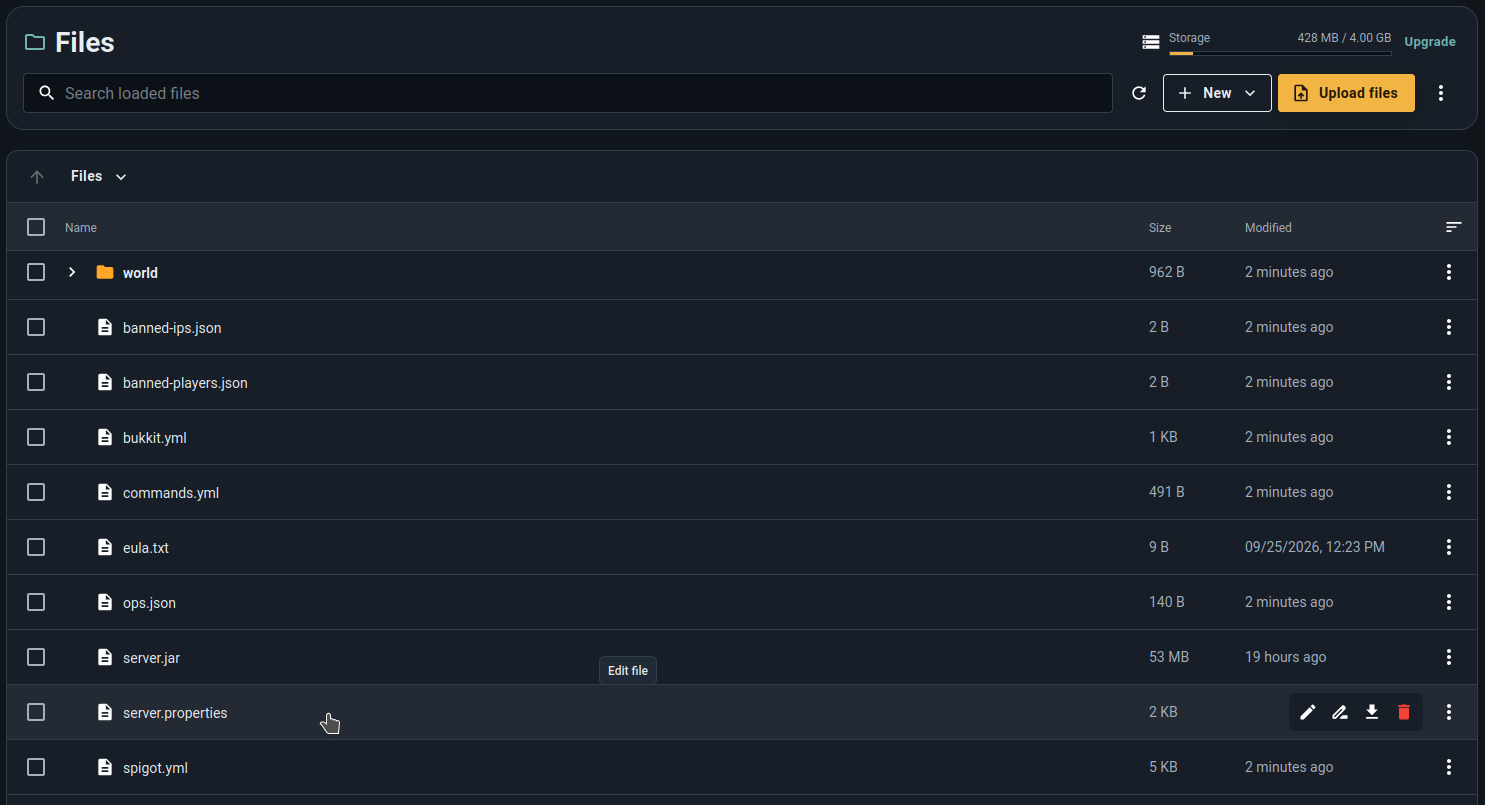

In these guides, paths such as /plugins, ./plugins, or plugins/ refer to folders inside the instance root.
For example, plugins/voicechat/voicechat-server.properties means: open plugins, then voicechat, then the
configuration file.
If the Files page is unavailable
File access depends on the instance state, your permissions, and the plan's file-management features.
- Start a newly created or shelved instance so PowerupStack can assign it to a server node.
- Ask the owner for permission to view or manage instance files if the instance was shared with you.
- If the instance is shelving or migrating, wait for that operation to finish.
- Free-tier plugins and mods are normally installed through the Workshop; unrestricted file uploads are a paid-plan feature.
See the unavailable instance guide if files and settings remain locked, or download all instance files before making a risky change.
Common root-directory tasks
- Edit
server.propertiesto change settings such as difficulty, view distance, or the active world name. - Open
plugins/when manually installing a Minecraft plugin. - Open
mods/for a Forge, Fabric, or NeoForge server. - Open the active world folder to manage Java data packs or inspect world files.
Stop the server before replacing core files or making changes that should not occur while Minecraft is writing data.