 PowerupStack
To change your PowerupStack password, log in and open Settings → Password. Enter your current password and choose a new one.
If you do not know your current password, follow the guide to reset a forgotten password using your account's email address.
Change your password
- Log in to your PowerupStack account.
Open Settings, then select Password.
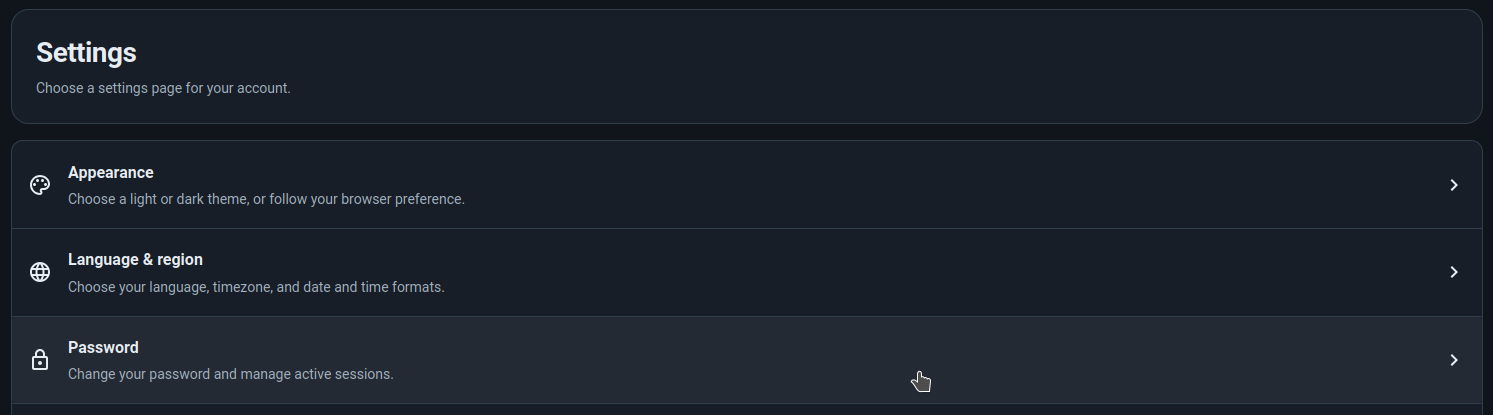
- In the Change password form, enter your existing password in Current password.
- Enter your chosen password in New password, then enter it again in Confirm password. Use 12–72 characters, including at least eight distinct characters, and choose a password different from your current one.
Review Revoke active sessions, which is selected by default. Leave it selected to sign out all devices, including the one you are using. Clear it if you want existing sessions to remain signed in.
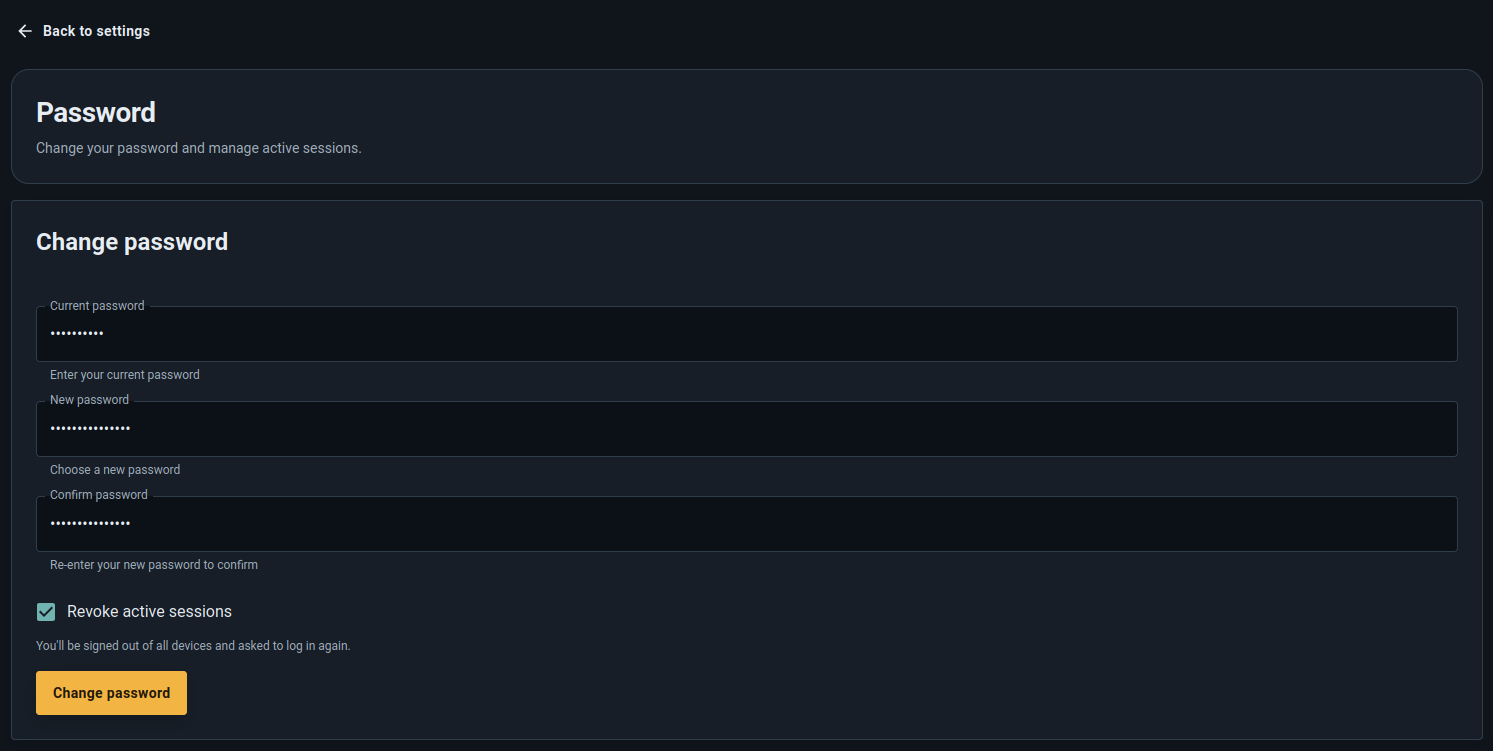
Click Change password. If Revoke active sessions is selected, log in again with your new password.


Troubleshooting
- Current password is incorrect: Re-enter your current password and check whether your browser filled in an old password.
- The passwords do not match: Enter the same new password in New password and Confirm password.
- The new password is rejected: Check the error next to New password. It must meet the length and distinct-character requirements above and differ from your current password.